Self-hosted AI gateway withEU privacy and zero leakage.
Run the gateway in your own infrastructure, keep prompts and responses local by default, and add EU-hosted observability only on your terms.
Roadmap: end-to-end encrypted observability so even LunarGate cannot read your prompts.
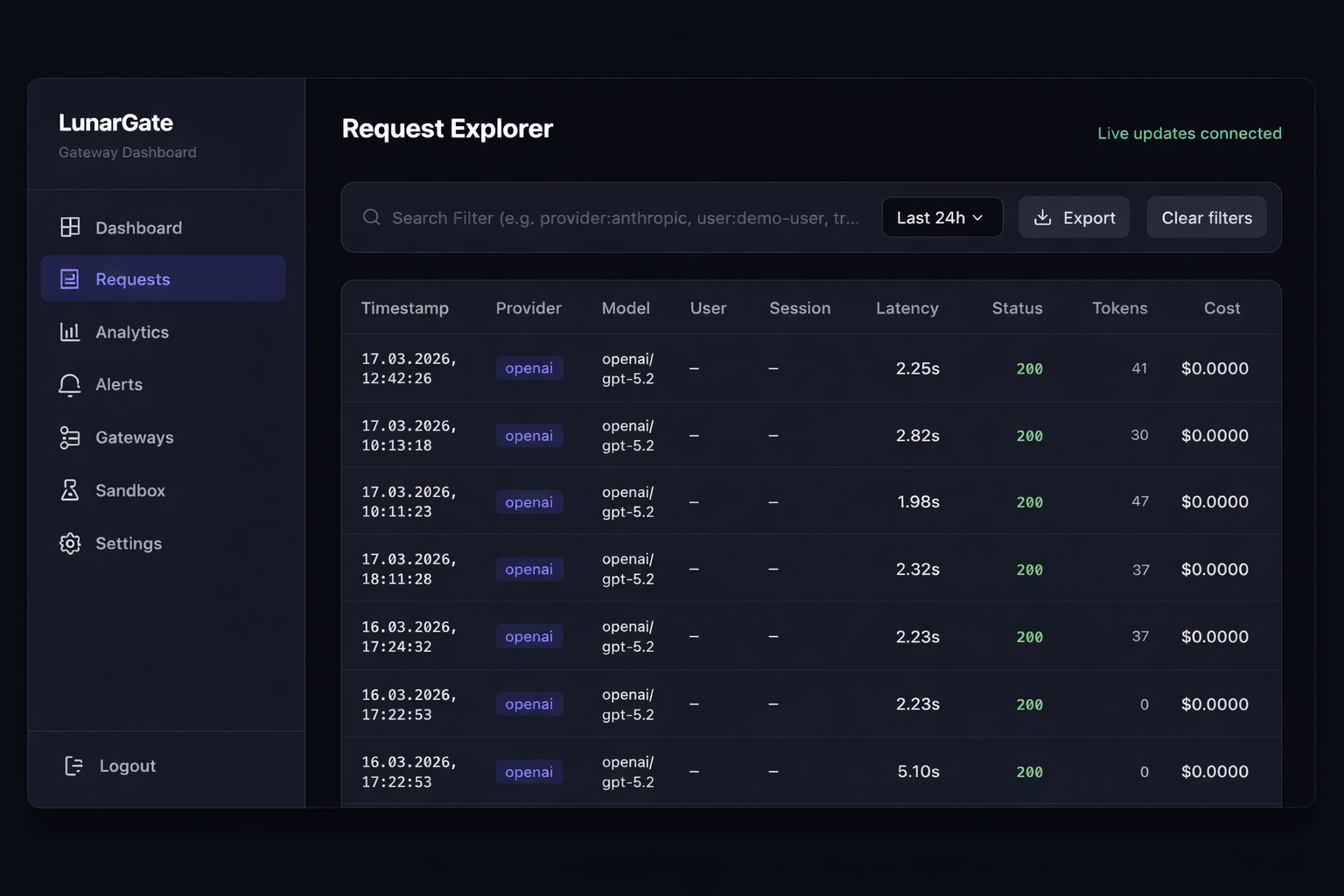
What multi-model architecture looks like before and after LunarGate.
Most teams start with direct provider integrations in every app. It ships quickly, but the moment you add more models, fallbacks, policies, or teams, architecture starts fragmenting. LunarGate turns that into one gateway layer with one boundary for routing, resilience, and privacy.
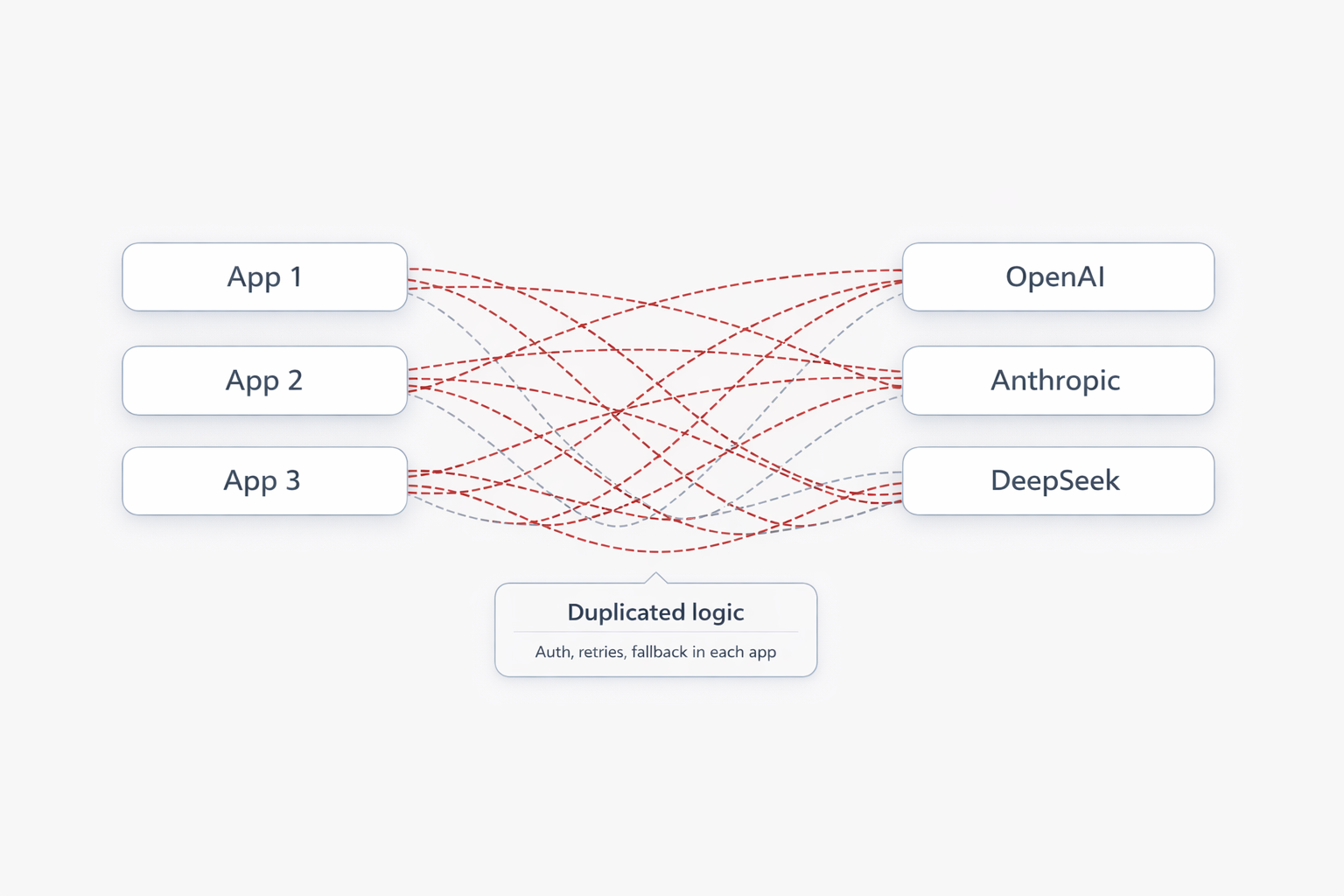
- Fast to start
- No extra component
- Duplicated logic
- Fragmented observability
- Expensive provider changes
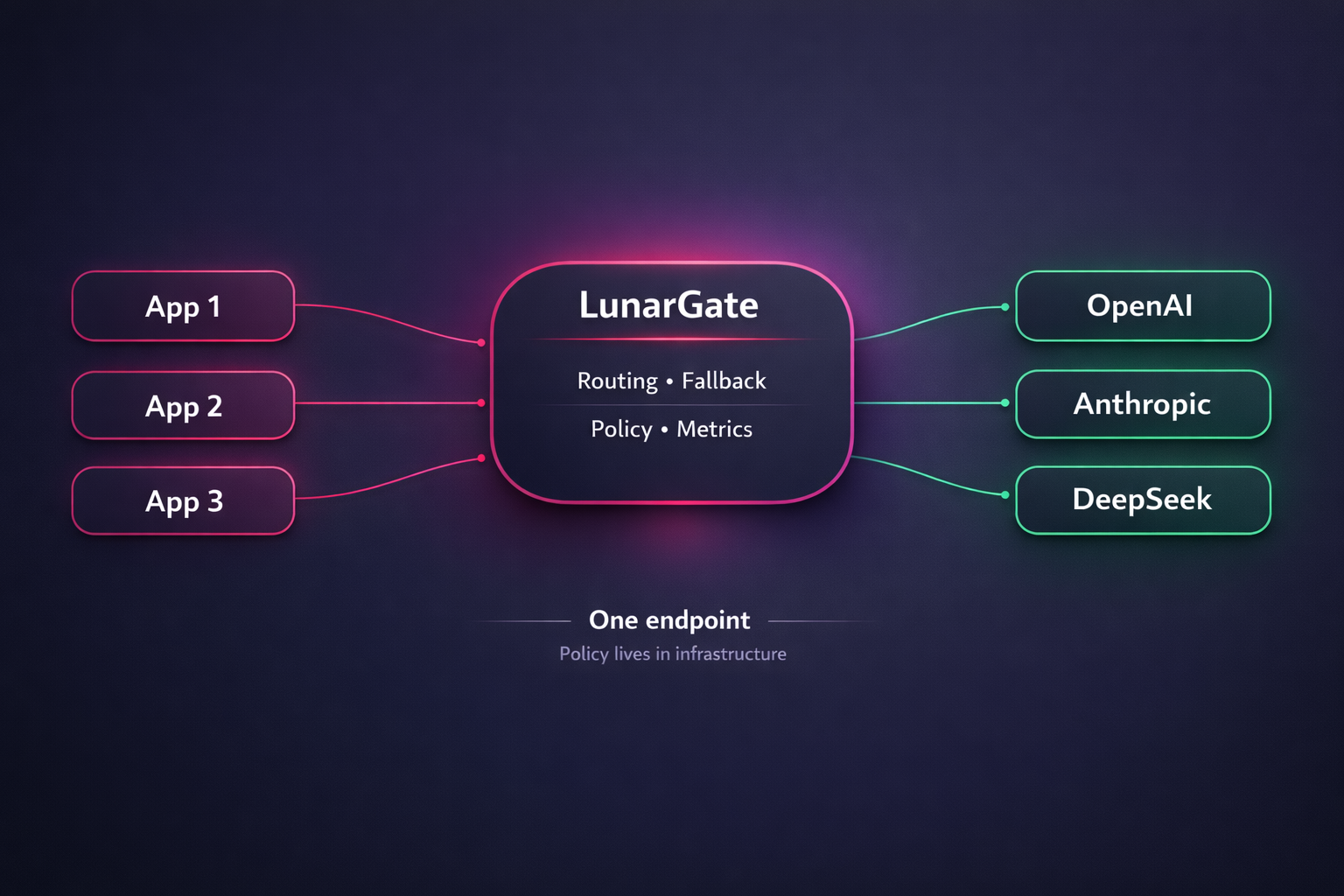
- One API endpoint
- Policy in infrastructure
- Clean privacy boundary
- One more component to run
- Best payoff at scale
Cheap models for easy requests. Strong models only when needed.
LunarGate scores request complexity and picks the right tier automatically, so you cut cost without changing the API your apps call.
Automatic tier selection
One endpoint, smarter model choice underneath.
Simple traffic stays cheap. Harder requests escalate to better models only when the request actually needs more reasoning.
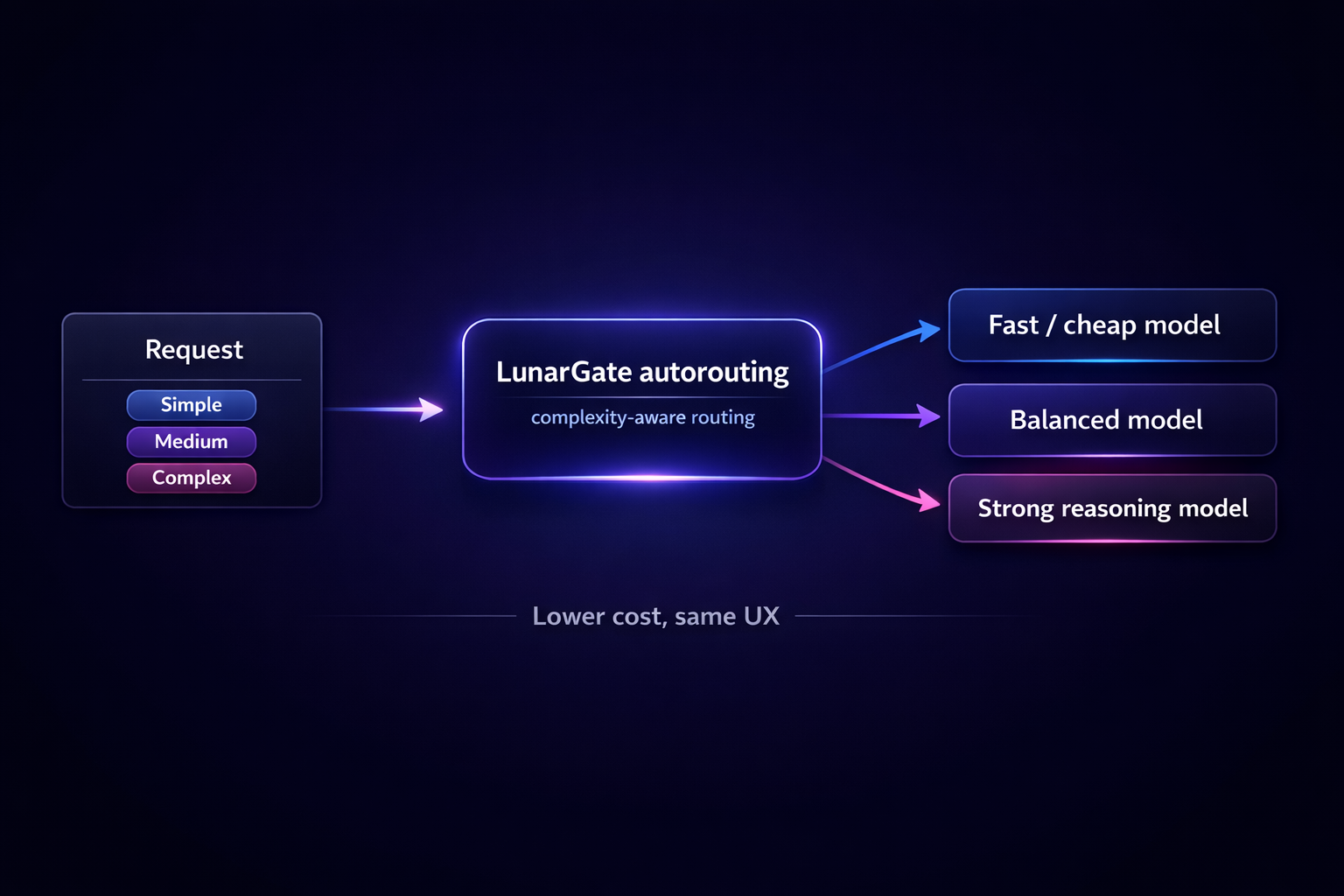
Simple requests
Short prompts and lightweight tasks go to the fast, cheap tier.
Medium requests
Normal app traffic lands on the balanced tier by default.
Complex requests
Reasoning-heavy work gets routed to stronger models only when needed.
Keep prompts local. Open debugging only when needed.
Start with metrics only. Turn on prompt or response visibility only for the requests that actually need inspection.
Metrics only by default
Prompts stay local unless your team explicitly turns sharing on.
Selective debugging
Turn on prompt or response access only for the cases that need it.
EU-hosted observability
Keep analytics and debugging signals in an EU boundary.
E2E encryption
End-to-end encrypted observability for teams that want an even tighter boundary.
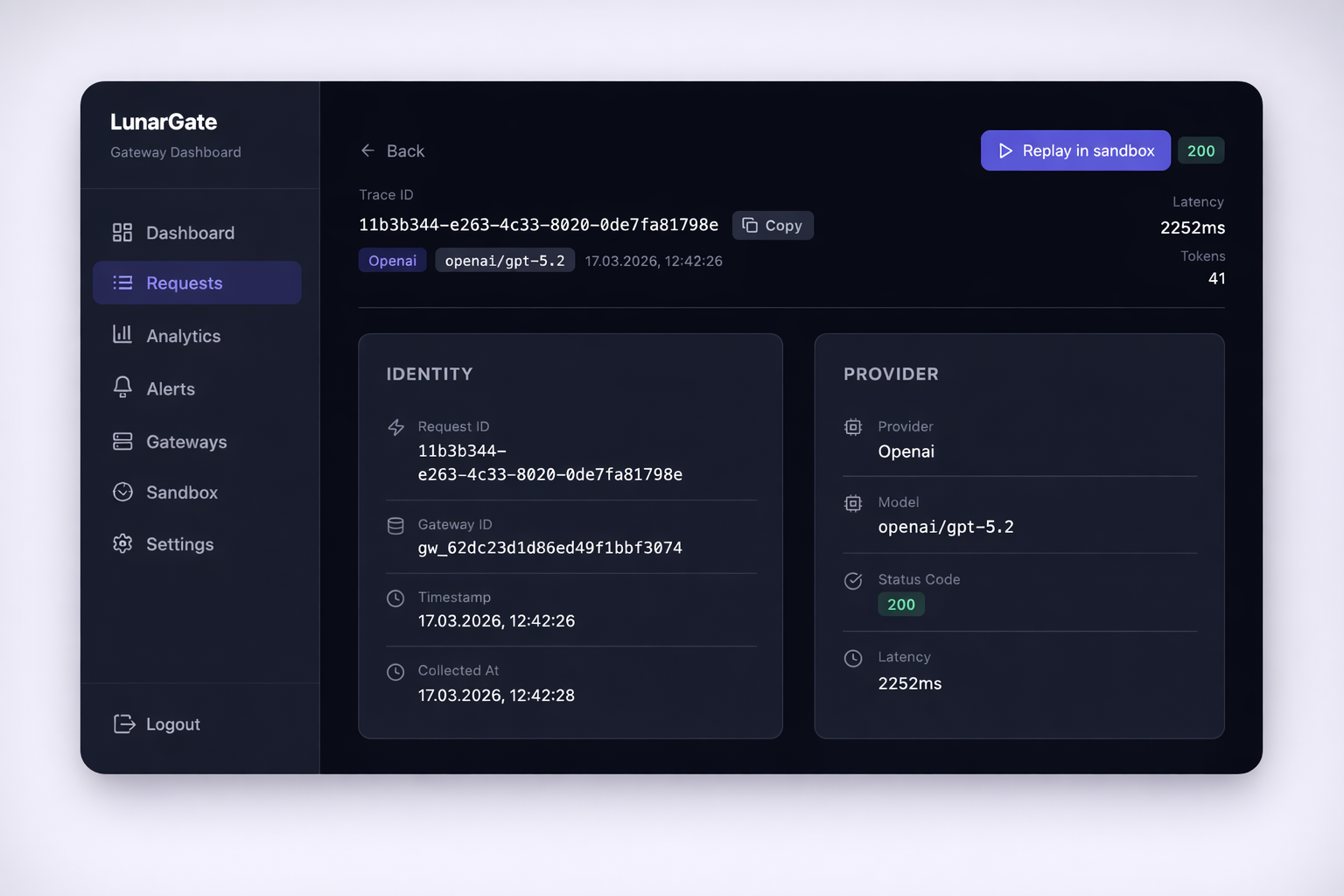
Install, save one config, and keep your prompts local.
Start with a self-hosted gateway, keep zero leakage on by default, and switch your existing OpenAI-compatible client to LunarGate.
Installs the same GoReleaser-published LunarGate binary through the Homebrew tap.
Install
brew tap lunargate-ai/tap
brew install lunargate
You can always build it yourself from GitHub.
Default hosted setup with a standard OpenAI-compatible provider.
Minimal config
save as `config.yaml`
providers:
  openai:
    api_key: "${OPENAI_API_KEY}"

routing:
  routes:
    - name: "default"
      targets:
        - provider: openai
model: gpt-5.2Run
OpenAI / GPT-5.2
export OPENAI_API_KEY="your-key"
lunargate --config ./config.yaml
Minimal client
from openai import OpenAI

client = OpenAI(
    api_key="not-needed-if-gateway-auth-is-off",
    base_url="http://your-gateway:8080/v1",
)

resp = client.chat.completions.create(
    model="openai/gpt-5.2",
    messages=[{"role": "user", "content": "Say hello from LunarGate"}],
)Run LunarGate in your own infrastructure.
Create an account, connect a provider, and point your client at the gateway.